Listing Lantern runs the real estate side of a brokerage website: property pages, a portfolio of closed deals, agent profiles, contact forms with a lead inbox, and a printable flyer and brochure for every listing.
Enter a listing once. Listing Lantern puts it on your site, takes the inquiries, and prints the handout. There is no separate form plugin, lead database or flyer software to install.
01
Display your listings
Commercial and residential, for sale and for lease, each with its own page, photos, specifications and map.
02
Showcase closed deals
Sold and leased properties move into a portfolio with the closing date and the client’s review.
03
Capture and manage leads
A contact form on every property and agent page, a lead inbox in WordPress, and spam protection that needs no setup.
04
Print and hand out
A one-page flyer and a multi-page brochure for every listing, each with a QR code back to your site.
IDX and MLS
Looking for an IDX plugin? Here is where Listing Lantern fits.
An IDX plugin pulls every MLS listing in your market onto your site so buyers can search. IDX connectivity varies per MLS. You will need to check reach out to connect your MLS.
An IDX plugin gives you
Search across every MLS listing in your market
Listings from a feed, which you did not enter and cannot rewrite
Home search aimed at buyers
Usually a subscription to an IDX provider
Listing Lantern gives you
Your own listings in full detail, written your way
Commercial and lease space with the right fields
A portfolio of closed deals with client reviews
Lead forms, a lead inbox, flyers and brochures
No feed and no subscription
When you may not need IDX at all
Commercial brokerages, leasing teams and boutique firms that sell from their own listings often want a strong page for each property and a track record, not a search of everyone else’s.
Already running an IDX plugin?
Keep it for market search and add Listing Lantern for your own listings, portfolio, leads and print.
Listing Lantern uses your theme’s fonts and your brand colors, so property pages and grids match the rest of the site instead of looking bolted on.
Listing pages and homepage grids
A full listing page comes built in. Grids for your homepage or any other page are placed with an Elementor widget or a shortcode.
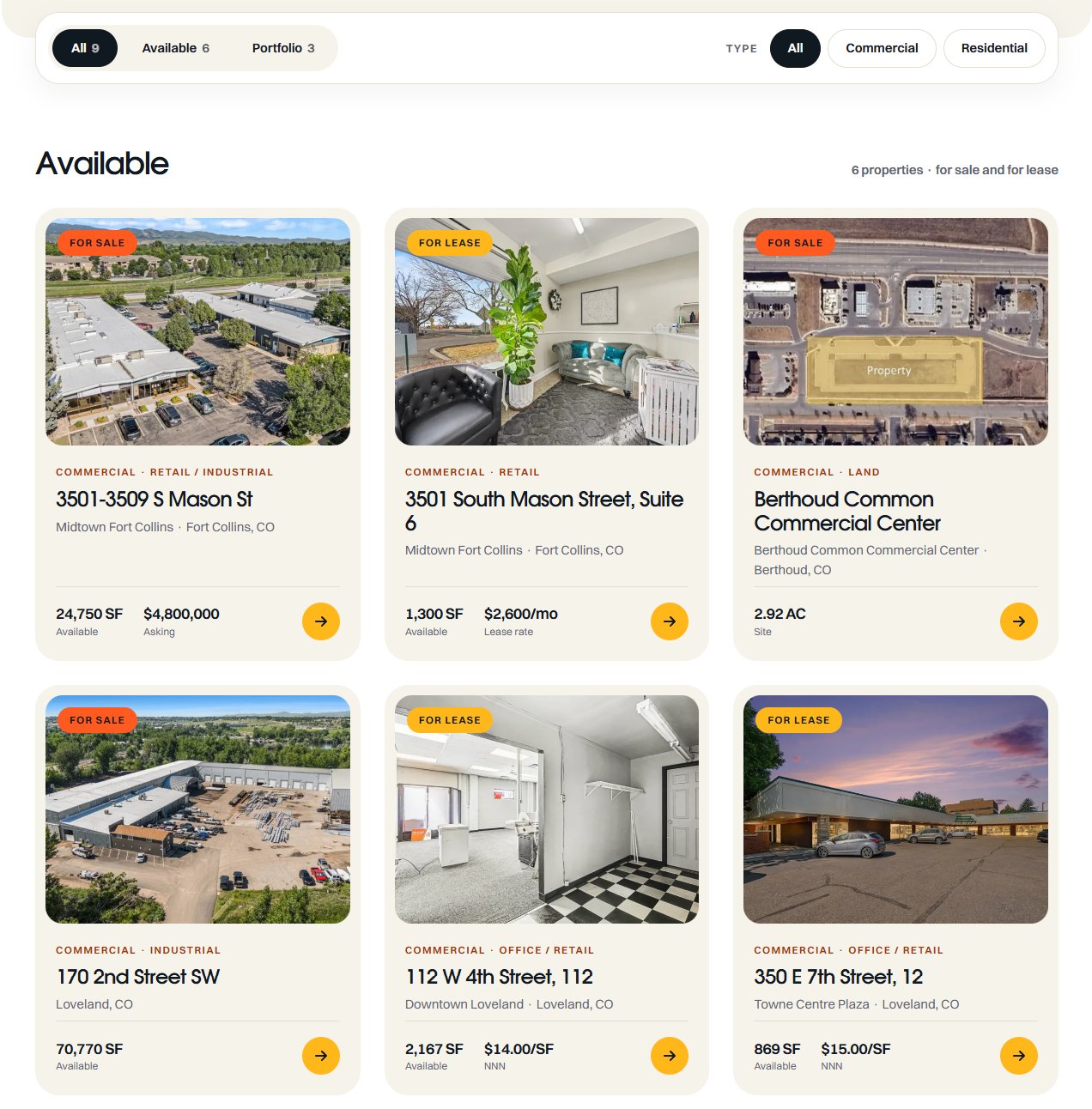
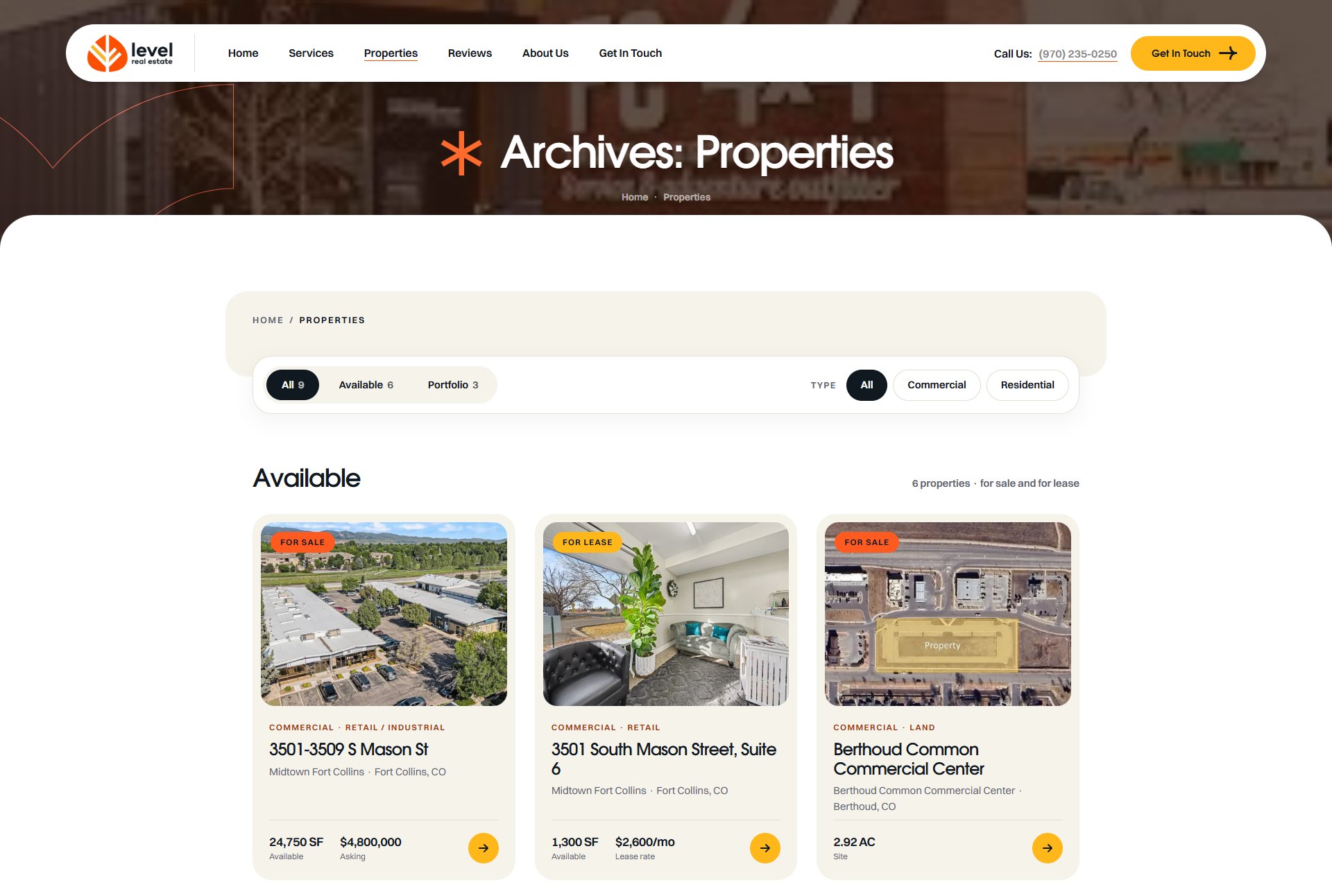
All, Available and Portfolio tabs on the listing page
Pages for each type, subtype, city and neighborhood
Cards show status, type, size and price at a glance
Featured listings sort first with one toggle
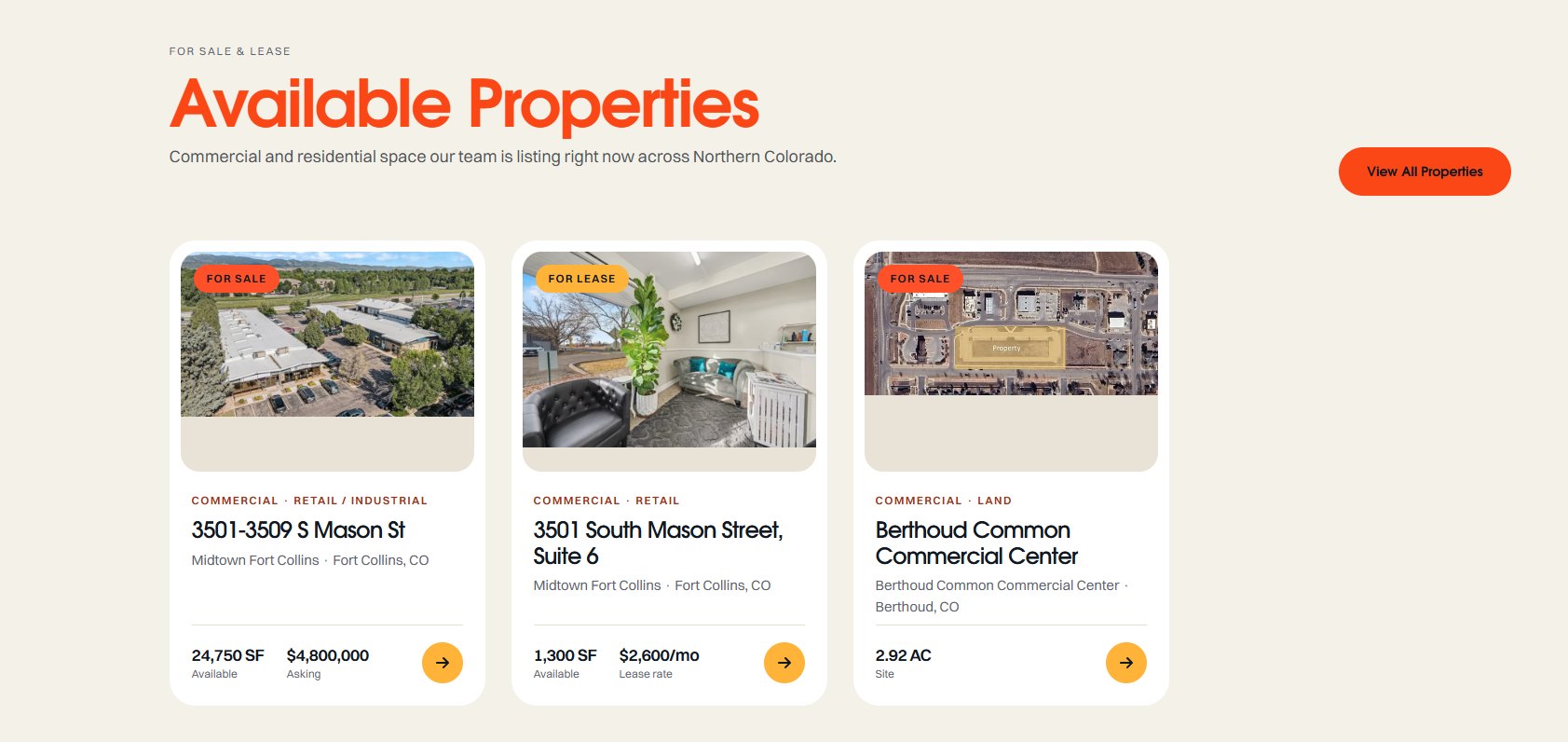
The Property Grid widget on a homepage.
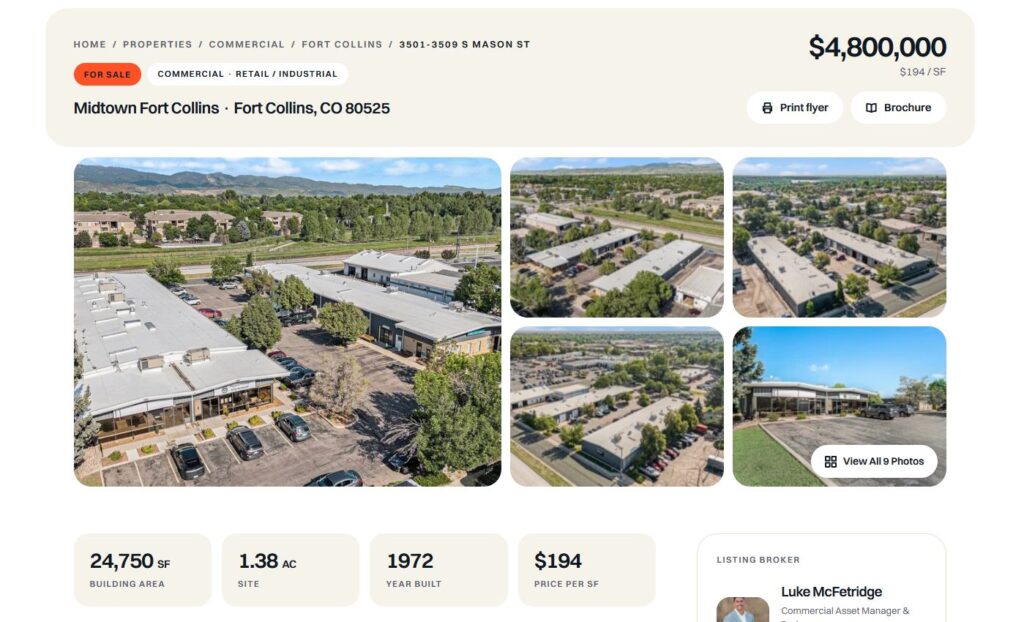
A property page built to be read
Photos first, then the numbers, then the detail. The agent, the print buttons and the inquiry form stay in view the whole way down.
Photo gallery with a full-screen lightbox
Stat tiles, overview, highlights and a specification table
Floor plans, map, brochures and documents
Sticky sidebar with the listing agents, print buttons and the inquiry form
Related properties, same city first
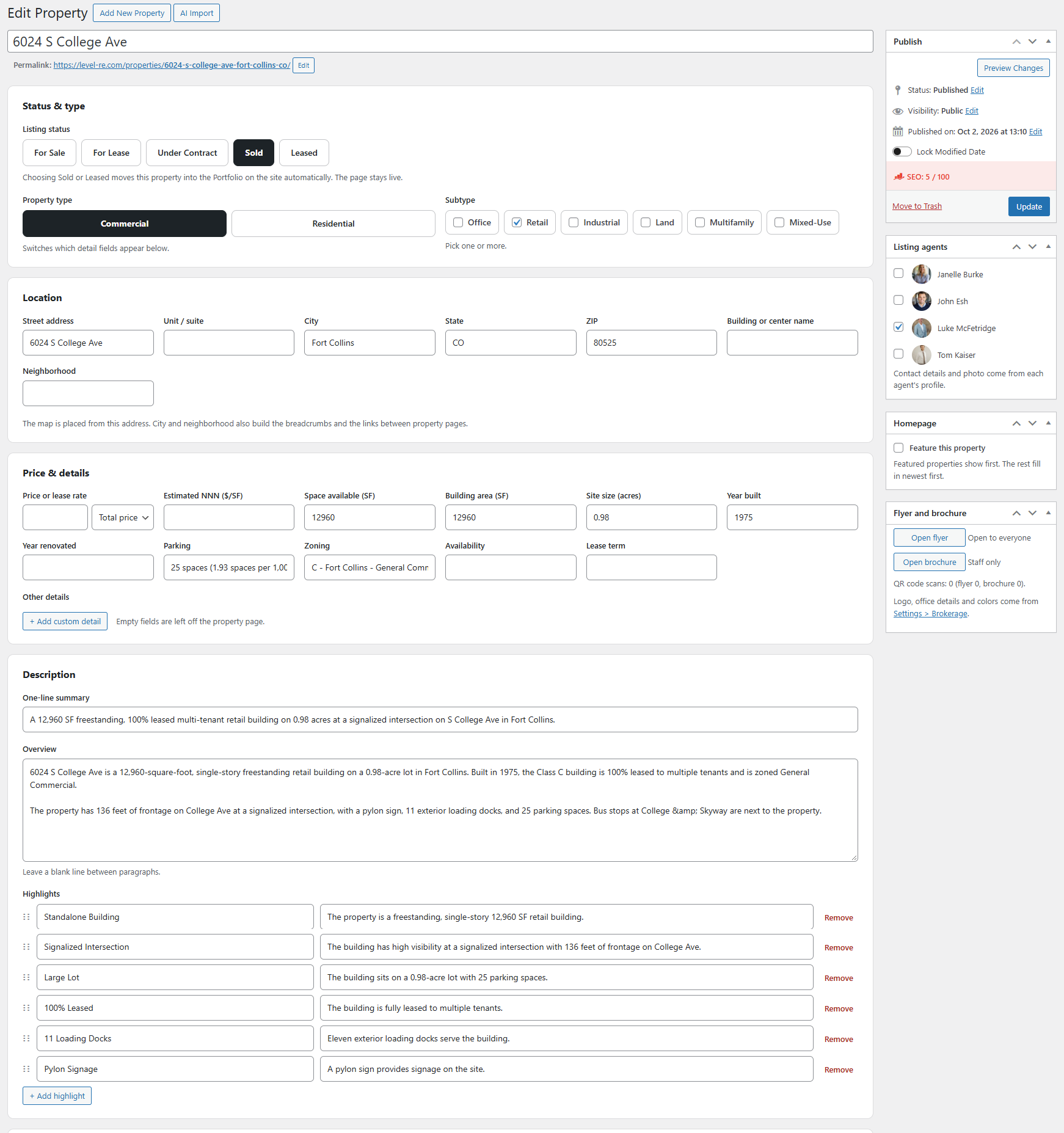
Commercial and residential, each with its own fields
Switch the type and the form changes with it. Lease space is priced the way brokers quote it.
For sale, for lease, under contract, sold and leased
Price as a total, per SF NNN, per SF gross, per month or call for price
NNN estimate, building area, zoning, availability and lease term
Beds, baths, living area, lot size and year built
Office, retail, industrial, land, multifamily, mixed-use, house, condo and townhome
The property editor. One screen, top to bottom.
WordPress Admin Listing Management
Run every listing from one list
The day-to-day changes happen without opening a single property.
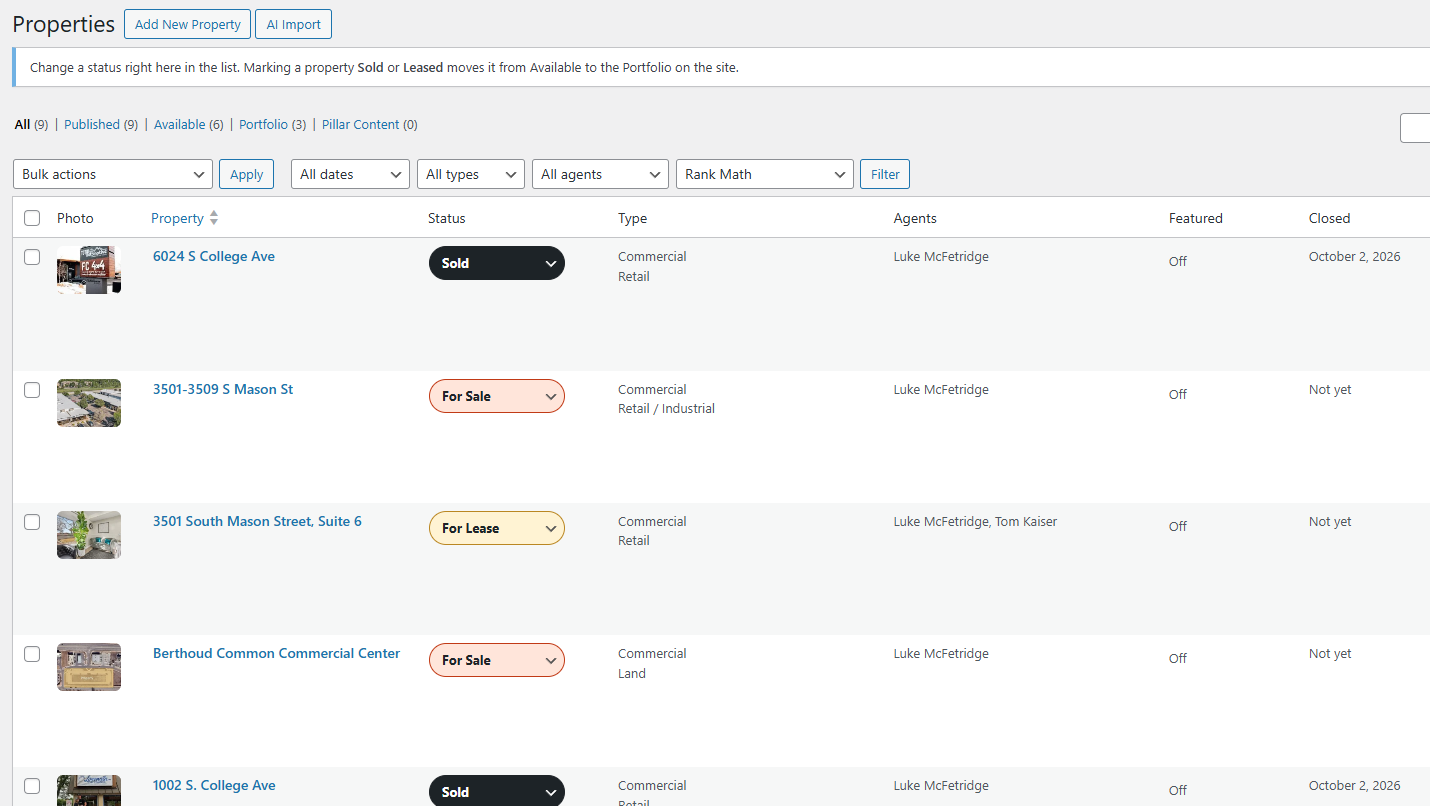
Change a status right in the list
Marking a property sold or leased moves it to the portfolio on the site
Filter by type and agent, search by address
Flyer and brochure links on every row
Showcase closed deals
Closed deals keep working for you.
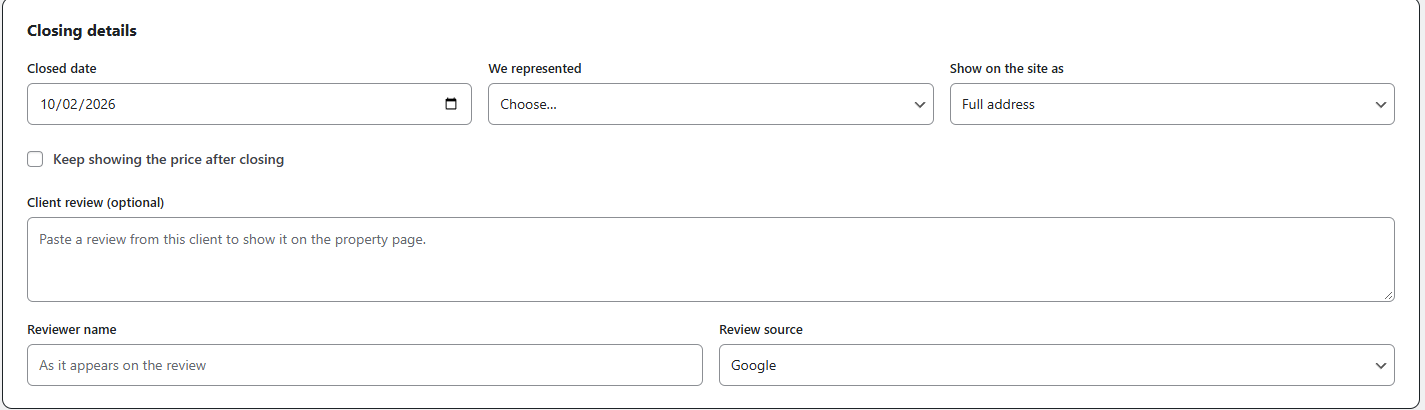
Mark a property sold or leased and it moves into your portfolio with the closing date, the side you represented and the client’s review.
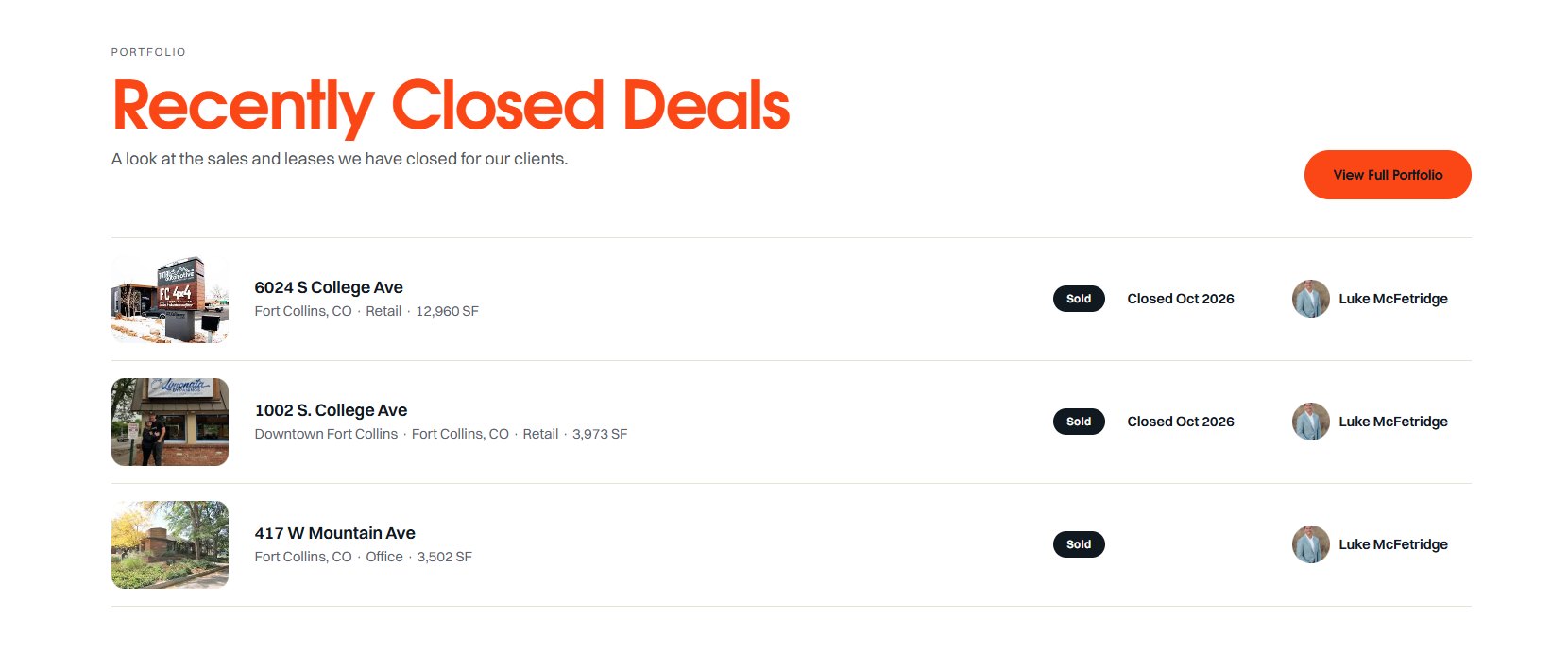
Portfolio list with photo, status, closing month and agent
Client review with its source: Google, Zillow or direct
Your choice whether a closed deal keeps showing its price
Address masking: full address, street name only, or neighborhood and city
A masked address stays masked in the title, the URL, site search and search-engine data
The Portfolio List widget on a homepage.
Closing details on the property editor: date, side represented, how the address shows and the client review.
Agents
Agent profiles that fill themselves in.
Edit an agent once and it updates everywhere: the team section, the broker card on every property and the profile page.
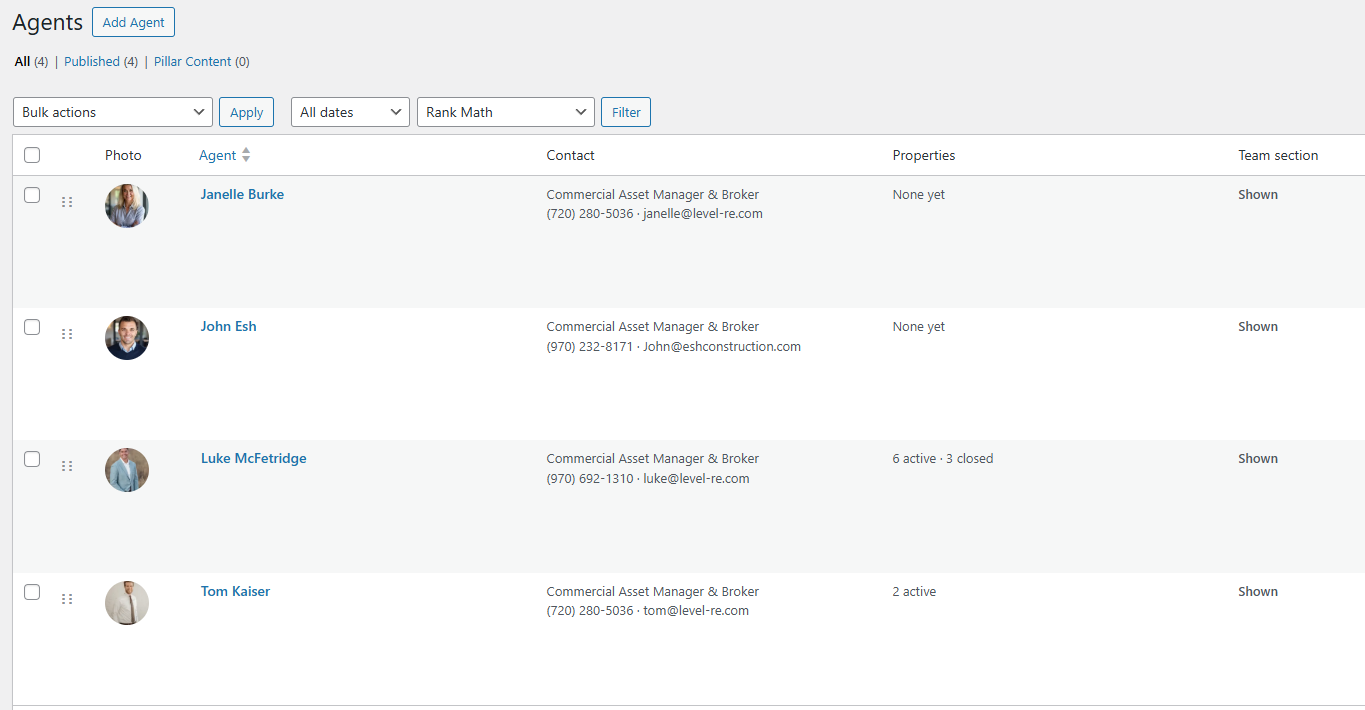
Photo, title, license number, phone, email and bio
Profile page with active listings and recently closed deals
Client reviews pulled from that agent's closed properties
Each profile has its own contact form
Team grid you reorder by dragging
The Agents widget.
The agents list counts each agent's active and closed listings. Team section and profile page are switches on the agent.
Screenshot needed
Agent profile page
Bio beside the contact card, with active listings below
Lead generation
A contact form on every property and agent page.
The forms are built in. There is no form plugin to install, connect or pay for, and every form knows which listing or agent it is sitting on.
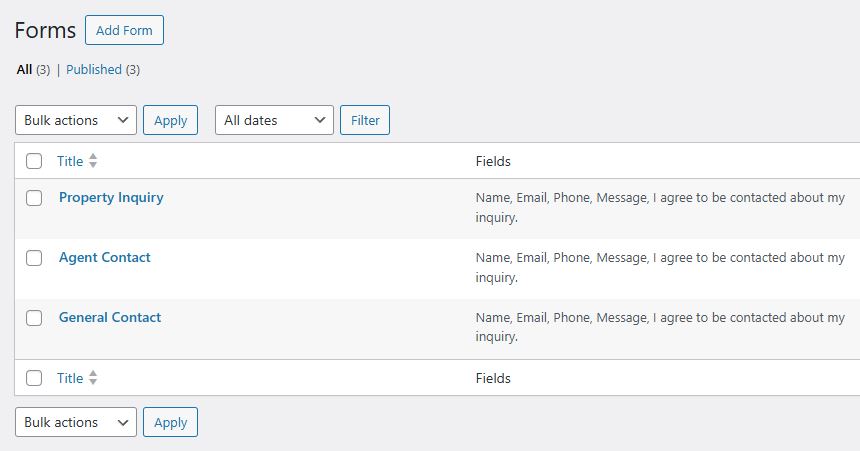
Three forms ready on install
Property Inquiry, Agent Contact and General Contact.
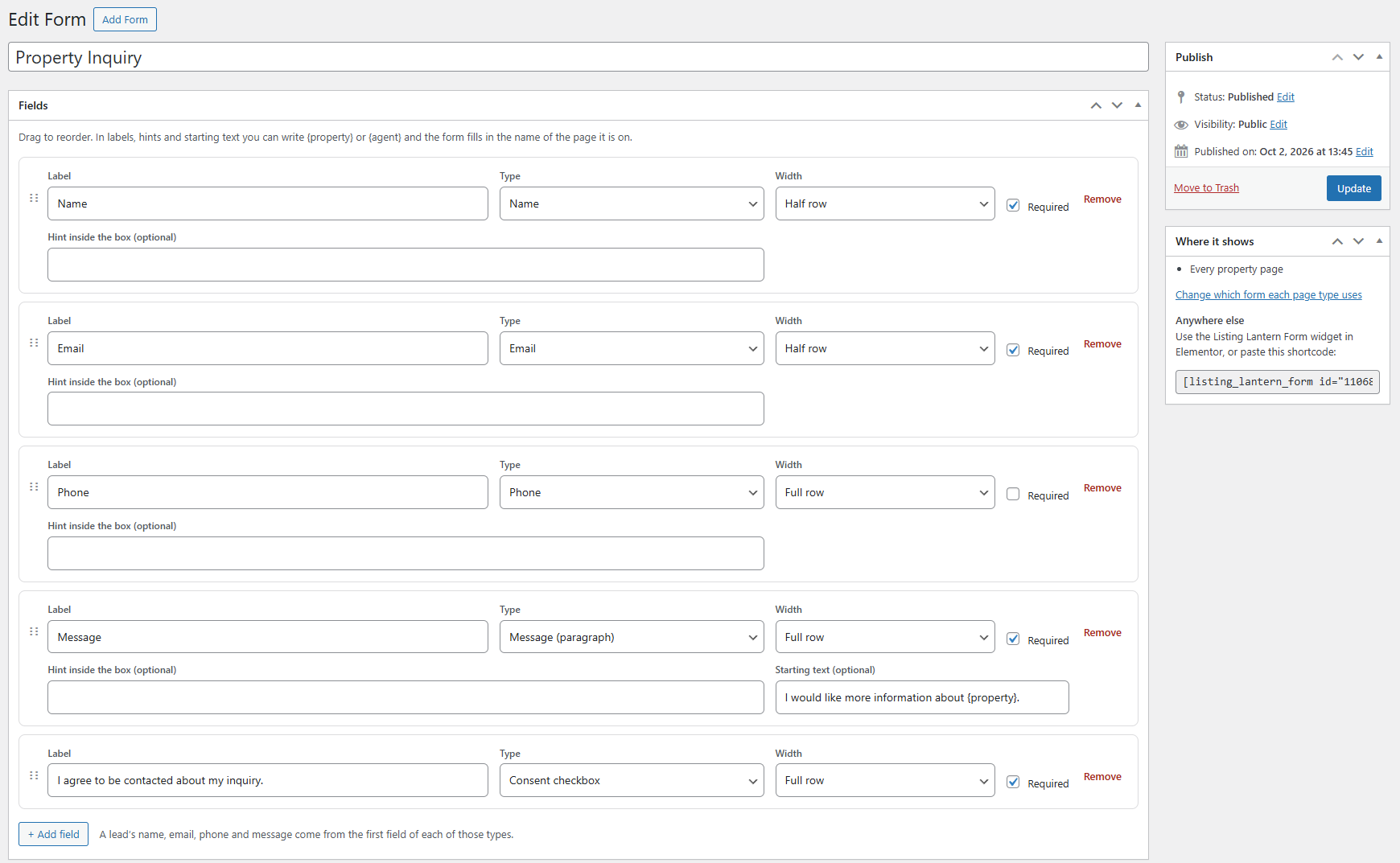
Drag-and-drop fields
Name, email, phone, text, paragraph, dropdown, checkbox and consent. Set each one required or optional, half row or full row.
Messages that start themselves
The form fills in the listing name, so the visitor’s message opens with the property they are asking about.
The right person gets the email
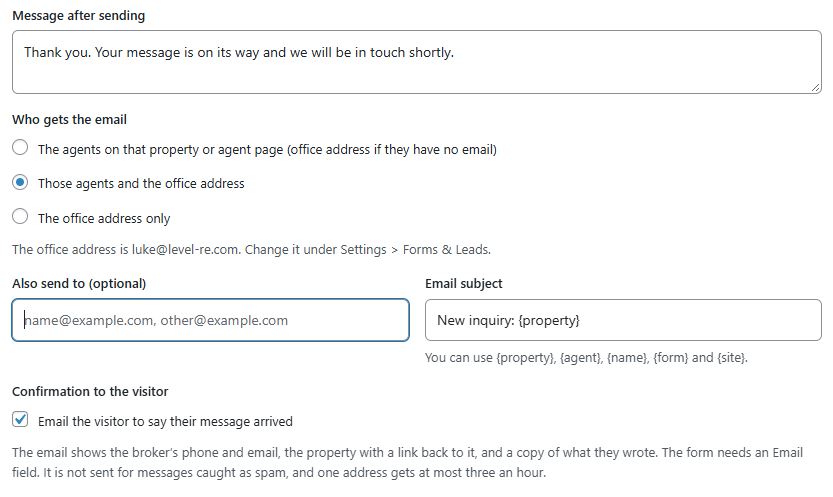
Send each form to the listing agents, the agents and the office, or the office only.
Place a form anywhere
Use the Elementor widget or a shortcode. Forms are built to keep working on cached pages.
The form editor.
Each form shows where it appears on the site.
Per-form settings: button text, thank-you message, recipients and subject.
Lead management
Every inquiry saved in WordPress, next to the listing it came from.
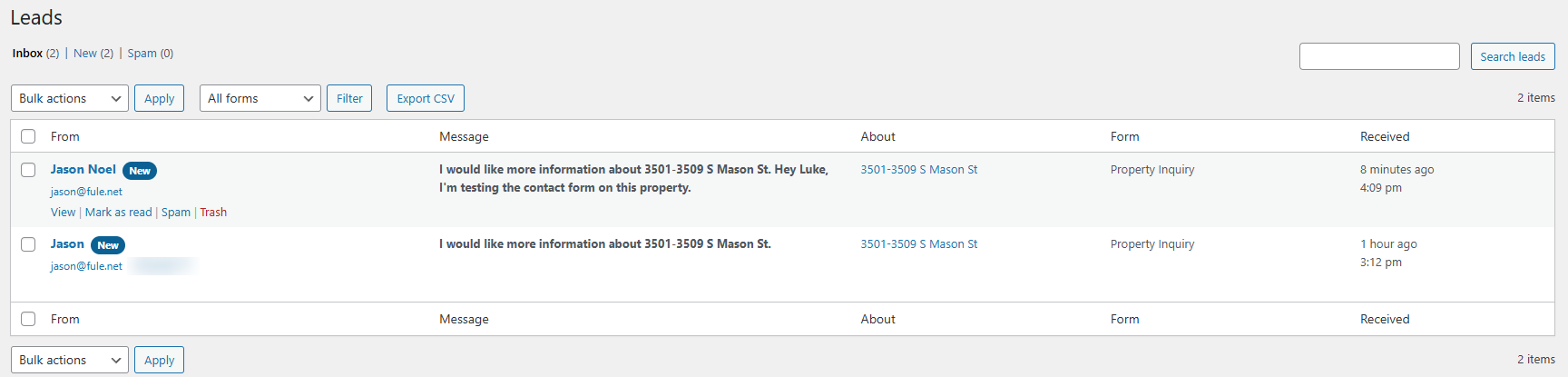
An email can be missed. The Leads inbox keeps every message, shows which property it is about, and tells you what is still unread.
The Leads inbox.
Inbox, New and Spam
Opening a lead marks it read. An unread count sits on the menu so nothing waits unnoticed.
Tied to the listing
Each lead records the property or agent page it came from and the form that was used.
Search and export
Search every message, filter by form, and export to CSV for your CRM or a spreadsheet.
Email you can reply to
Notifications go through your site’s mail setup with reply-to set to the visitor. A send that fails is flagged on the lead.
Ready for conversion tracking
Every successful send fires an event your tag manager can pick up.
Privacy handled
No IP address is stored. Consent is recorded with its time. Leads can be deleted automatically after a number of days you set.
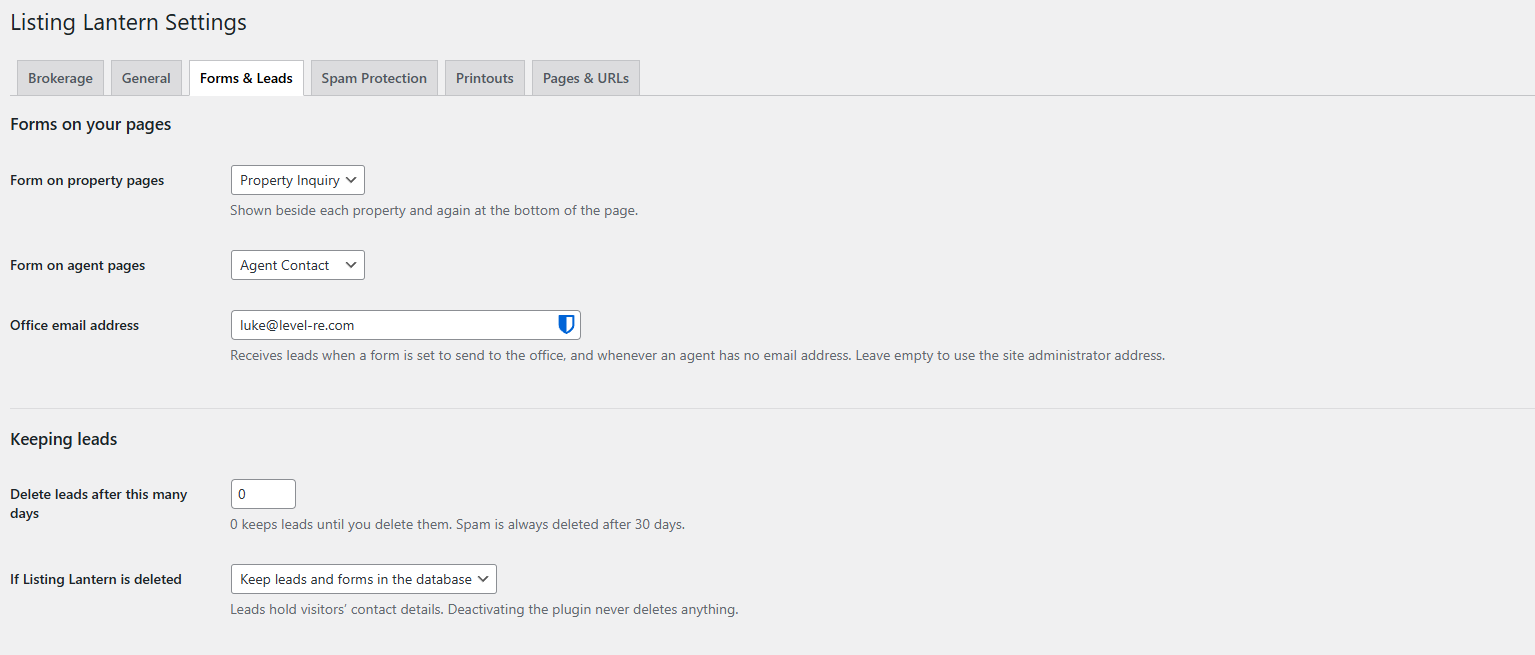
Forms and Leads settings: which form shows where, the office address and how long leads are kept.
Spam protection
Protected before you set anything up.
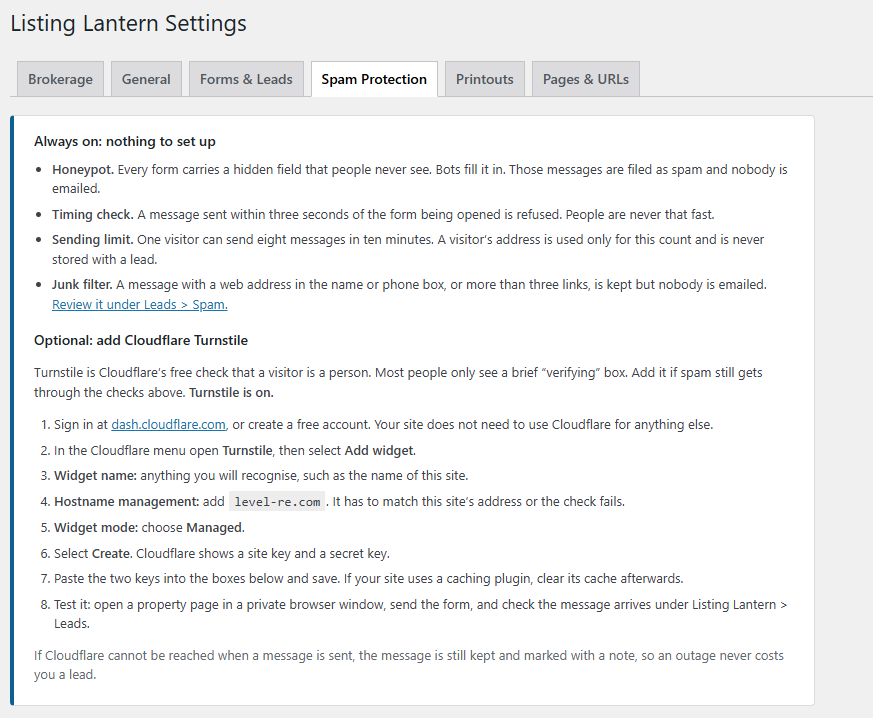
Four checks run on every form from the first day. Cloudflare Turnstile is there if you want one more.
Honeypot
A hidden field only bots fill in. Those messages are filed as spam and nobody is emailed.
Timing check
A message sent within three seconds of the form opening is refused.
Sending limit
One visitor can send eight messages in ten minutes.
Junk filter
Messages stuffed with links are kept for review, and nobody is emailed.
Cloudflare Turnstile, optional
Paste two keys to add Cloudflare’s free human check. The step-by-step instructions sit right beside the settings, and if Cloudflare cannot be reached the message is still kept.
AI Import
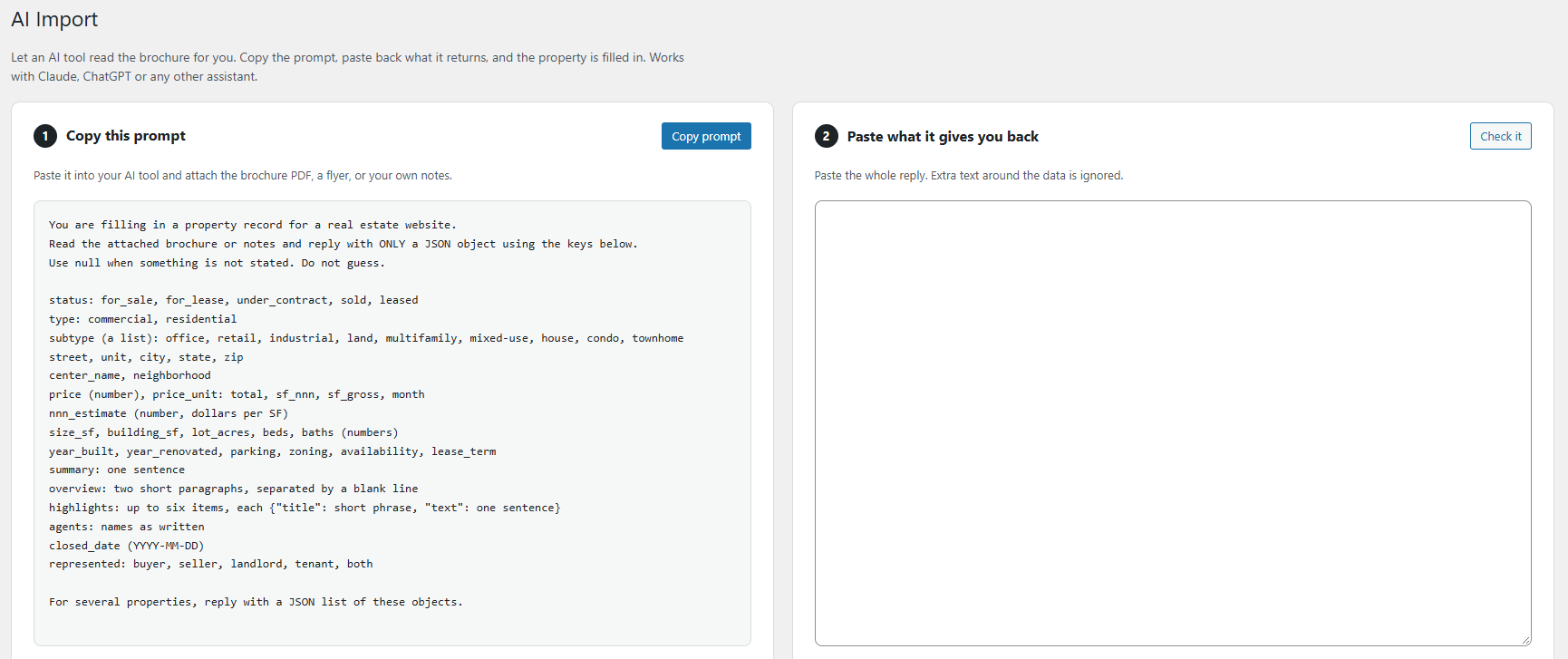
Hand the brochure to ChatGPT, Claude or Grok. Get a draft listing back.
Listing Lantern writes the prompt for you. Give it to the AI assistant you already use along with a brochure PDF, a flyer or your own notes, then paste the answer back in.
1. Copy the prompt
It is built from the plugin’s own field list, so it always asks for the right details.
2. Paste the reply
Paste the whole answer. Anything the AI wrote around the data is ignored.
3. Review and create
Each field shows as ready, missing or to add next. One click creates the draft, then you add photos.
Up to 50 properties per paste. Imports are always saved as drafts, so nothing goes live until you publish it.
Flyers and brochures
Every listing comes with a flyer and a brochure.
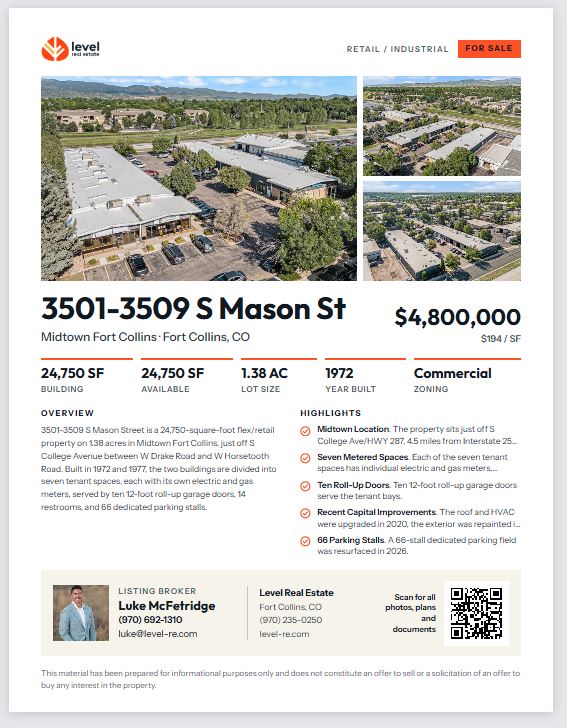
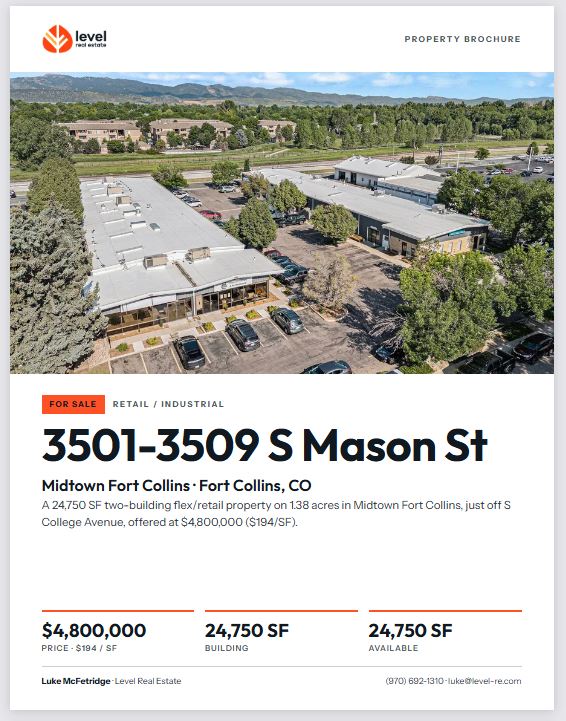
Both are built from the listing you already entered and carry your logo, office details and brand color. Open one, then print it or save it as a PDF.
Listing → Flyer or brochure → QR code scan → Listing page on your site → Lead in your inbox
One-page flyer
Photos, price, key stats, overview and highlights on one Letter page
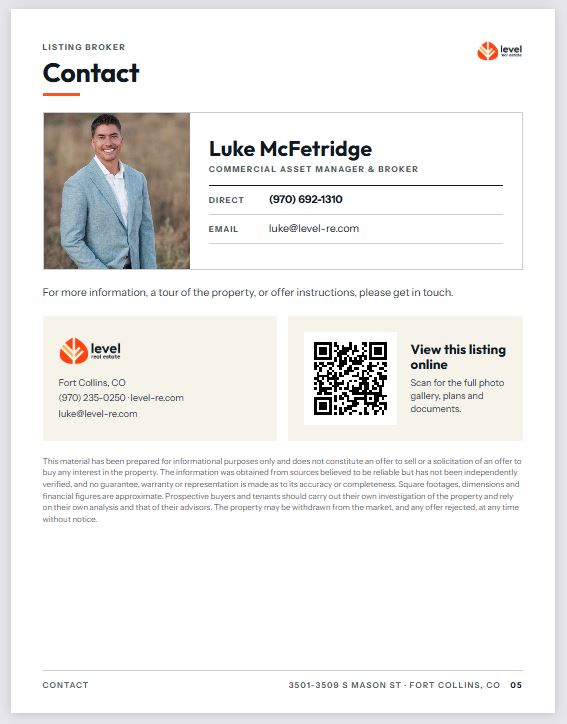
Agent and office contact details with a QR code
Optional Print flyer button for visitors on the property page
Multi-page brochure
Cover, overview and specifications, highlights, photo pages, floor plans and a contact page
Pages are laid out automatically, however long the listing is
Staff only by default, or open it to everyone
QR codes that count
Every printout carries a QR code to that listing on your site
Scans are counted for the flyer and the brochure separately
A printed code keeps working if the listing's address changes
Your brokerage
Set your brand once. It carries to every page and printout.
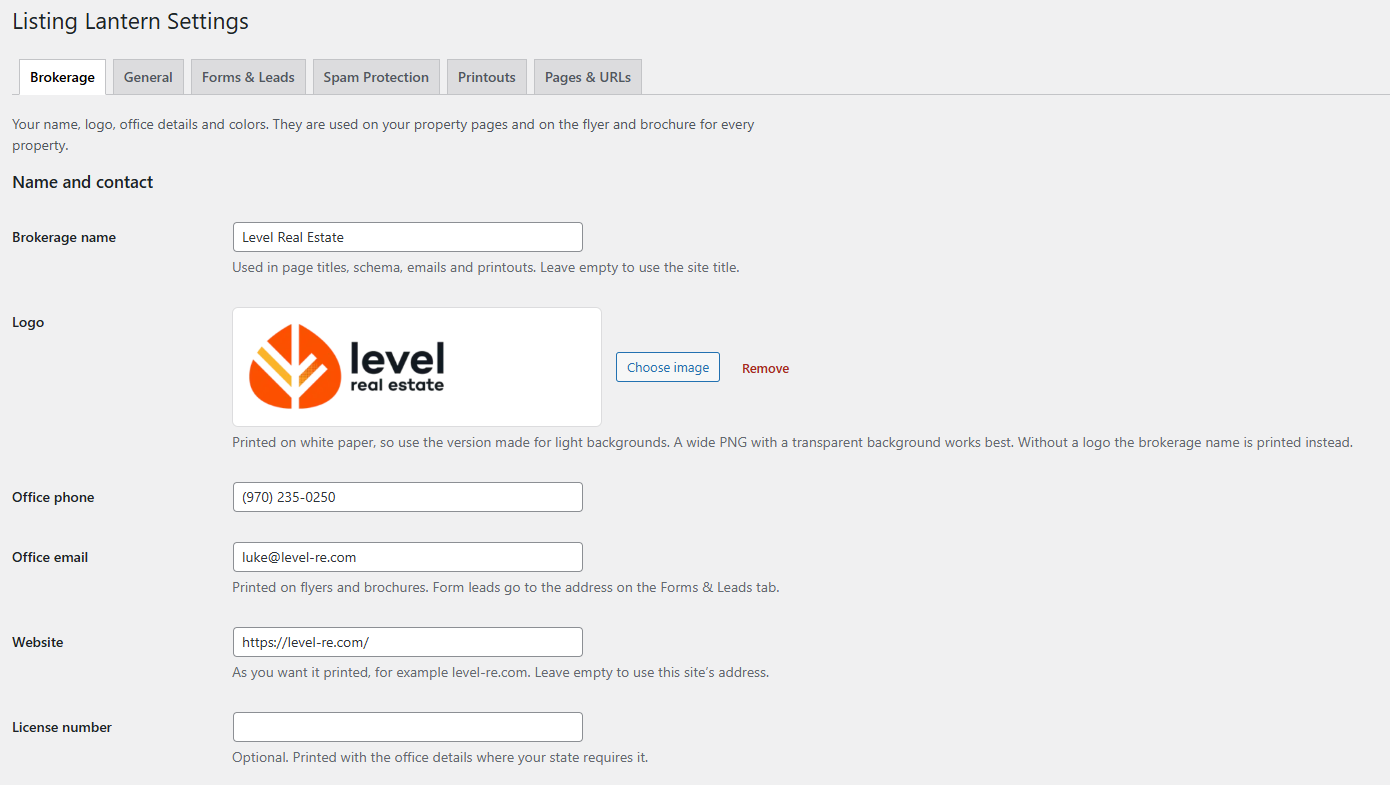
Brokerage name, logo, phone, email, website and license number
Office address for the contact block on flyers and brochures
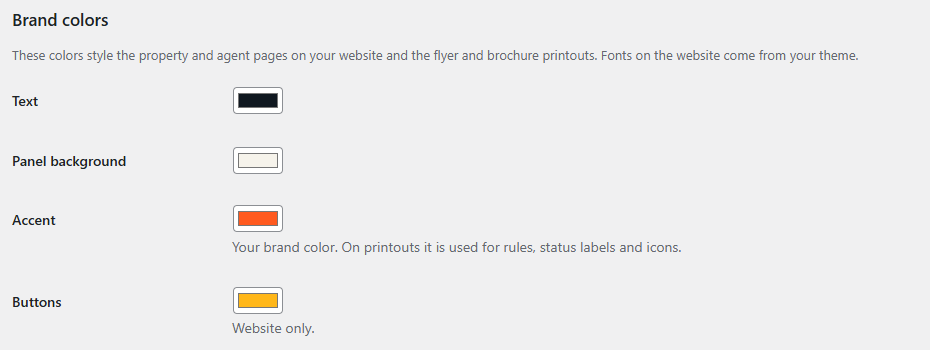
Four brand colors for property and agent pages
Website pages use your theme's fonts
The Brokerage tab in Settings.
Search and setup
Found in search. At home in your theme.
Built for search
Clean addresses such as /properties/commercial/office/
Your own heading and intro for each listing page
Thin pages stay out of the index until they hold enough listings
Structured data for listings, breadcrumbs, reviews and agents
Titles and descriptions handed to Rank Math or Yoast, where your own edits win
Fits the site you already have
Four Elementor widgets: Property Grid, Portfolio List, Agents and Form
The same four blocks as shortcodes for any other editor
A setting for themes that already print the page title
Templates a developer can override from the theme
Settings in six plain-language tabs
See it live
Running at Level Real Estate.
Level Real Estate in Fort Collins, Colorado runs its listings, portfolio, team pages and inquiry forms on Listing Lantern.
Fule installs Listing Lantern, matches it to your theme, enters your listings and portfolio, and hands back a site you can update yourself. Fule has been in the web business for more than 17 years.
No. It does not pull listings from an MLS. You enter properties yourself or bring them in with AI Import. MLS feed listings are planned for Pro, and the waitlist above is how to hear when they are ready.
No. Forms, the lead inbox and spam protection are built in. If you would rather keep the form plugin you have, paste its shortcode into the settings and it is used on property pages instead.
Any assistant you can paste a prompt into, including ChatGPT, Claude and Grok. Listing Lantern does not connect to them, so there is no account to link and no usage fee from us.
Rank Math and Yoast. Listing Lantern supplies titles, descriptions and structured data, and anything you type into your SEO plugin takes priority. It also works with no SEO plugin installed.
Deactivating never deletes anything. If you delete the plugin, your properties and agents stay in WordPress, and a setting decides whether leads and forms are kept.